
The previous posts in this series covered the interesting technical challenges — Tauri architecture, mock mode, registry surgery, Microsoft Store publishing, E2E testing. But there's a part of building WSL-UI that I haven't talked about: the sheer amount of time spent on polish.
As someone who spent years as a backend developer, this was an eye-opener.
The Backend Developer's Perspective
In backend development, you deal with well-defined contracts. An API either returns the right data or it doesn't. A function either handles the edge case or throws an exception. Tests pass or fail. There's a certain... cleanliness to it.
Request comes in. Process it. Response goes out. Done.
UI development is different. The "correct" behavior is subjective. Does this button look clickable enough? Is this spacing consistent with that spacing? What happens when the window is resized to 800px wide? 600px? What about 4K displays?
The Endless Polish
I spent more time on polish than on actual features. Some examples:
Pixel Pushing
"The cards don't quite line up." Okay, let me check the margins. And the padding. And the gap between items. And whether flex or grid makes more sense here. Oh, and the icon is 2 pixels off from the text baseline.
In backend code, if two values are functionally equivalent, it doesn't matter which you use. In UI, 15px vs 16px of margin is visible. Users notice, even if they can't articulate what's wrong.
Consistency Across States
A distribution can be:
- Running
- Stopped
- Starting (transitioning)
- Stopping (transitioning)
- Installing
- Failed
Each state needs distinct visual treatment. Status badges, action buttons that enable/disable appropriately, progress indicators. And they all need to look like they belong to the same app.
I ended up creating a state machine diagram just to track which UI elements should be visible in which states. Something I'd never needed for a REST API.
Edge Cases Everywhere
Backend edge cases are usually about data: null values, empty arrays, strings that are too long. UI edge cases are about everything:
- What if the distribution name is 50 characters long?
- What if there are 20 distributions?
- What if a user has never created any distributions?
- What if an operation fails mid-way?
- What happens during the 2-second gap between clicking "Start" and the distribution actually starting?
Each edge case needs thought. Empty states need messaging. Long names need truncation. Slow operations need spinners. Failed operations need error messages that are actually helpful.
The Real-World Gauntlet
Once I published to the Microsoft Store, real users found things I'd never considered:
- High-contrast mode exists, and my colour choices didn't work with it
- Some users have display scaling at 150% or 200%
- Windows Terminal isn't always the default terminal
- People actually read error messages (and expect them to be useful)
The Time Sink
If I had to estimate, I'd say:
- 30% of development time: Building features
- 20% of development time: Testing and bug fixes
- 50% of development time: Polish, edge cases, and "making it feel right"
That ratio surprised me. Backend development isn't like this. You build the feature, write tests, and move on. UI development has this long tail of refinement that never really ends.
Adding Analytics with Aptabase
Once WSL-UI was on the Microsoft Store, I wanted some visibility into how people were actually using it. But I had constraints:
- Privacy matters — I didn't want to collect personal data
- Simplicity — I didn't need complex funnel analysis
- Opt-in preferred — Users should choose to share data
I found Aptabase, which is designed exactly for this use case — privacy-first analytics for desktop and mobile apps.
How It Works
Aptabase collects minimal data:
- Country (derived from IP, then discarded — rough location only)
- OS version
- App version
- Custom events you define
No user IDs, no tracking cookies, no personal information. The data is anonymised and aggregated.
Implementation
Adding Aptabase to a Tauri app was straightforward:
// In your Tauri setup
use aptabase_rs::Aptabase;

fn main() {
    let aptabase = Aptabase::new("YOUR_APP_KEY");

    tauri::Builder::default()
        .manage(aptabase)
        .run(tauri::generate_context!())
        .expect("error while running application");
}
Then tracking events:
#[tauri::command]
pub async fn start_distribution(
    name: String,
    aptabase: State<'_, Aptabase>
) -> Result<(), String> {
    // Do the actual work
    wsl_start(&name)?;

    // Track the event (if analytics enabled)
    if analytics_enabled() {
        aptabase.track_event("distribution_started", None);
    }

    Ok(())
}
User Consent
This is the important part. Analytics is opt-out by default. When you first install WSL-UI, no data is sent anywhere.
In the Settings page, there's a toggle:
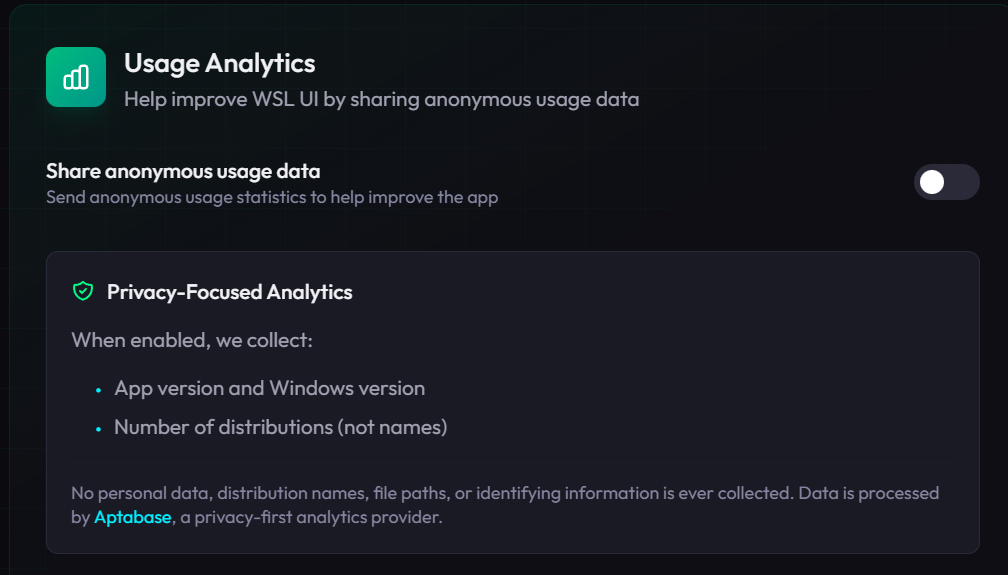
When a user enables analytics, they're explicitly choosing to share usage data. The setting is stored locally and checked before any tracking calls.
What I Actually See
The Aptabase dashboard shows:
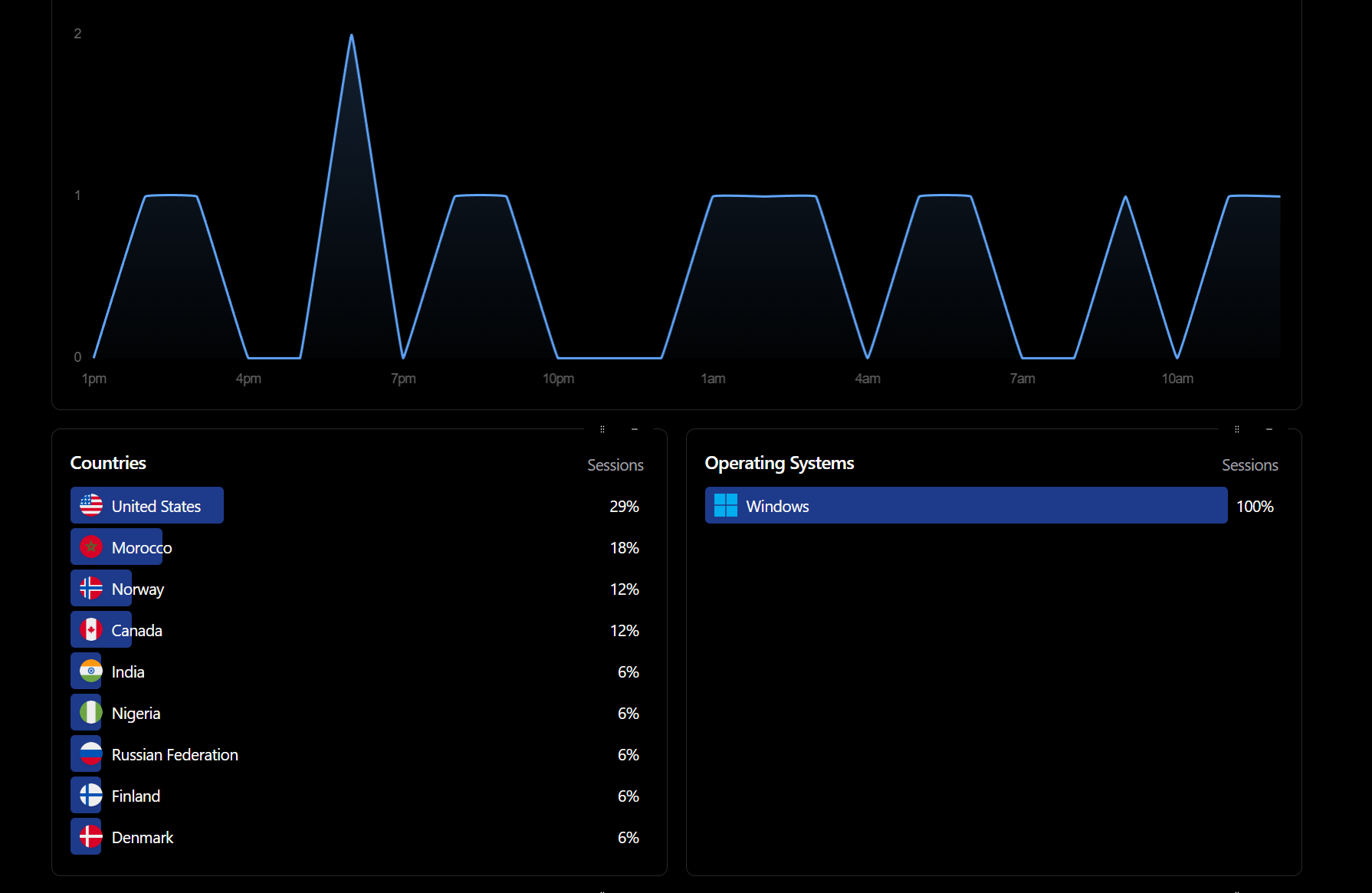
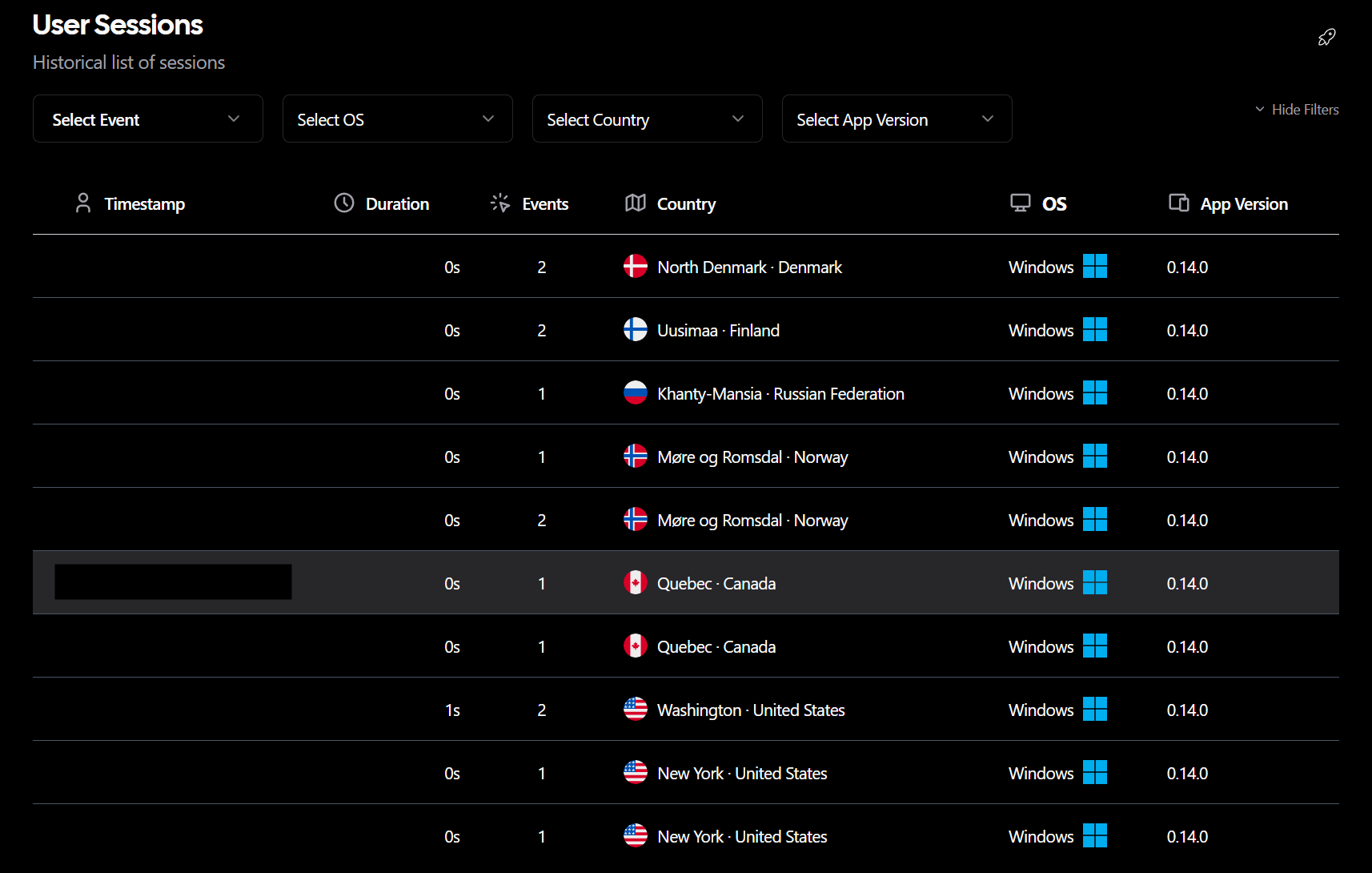
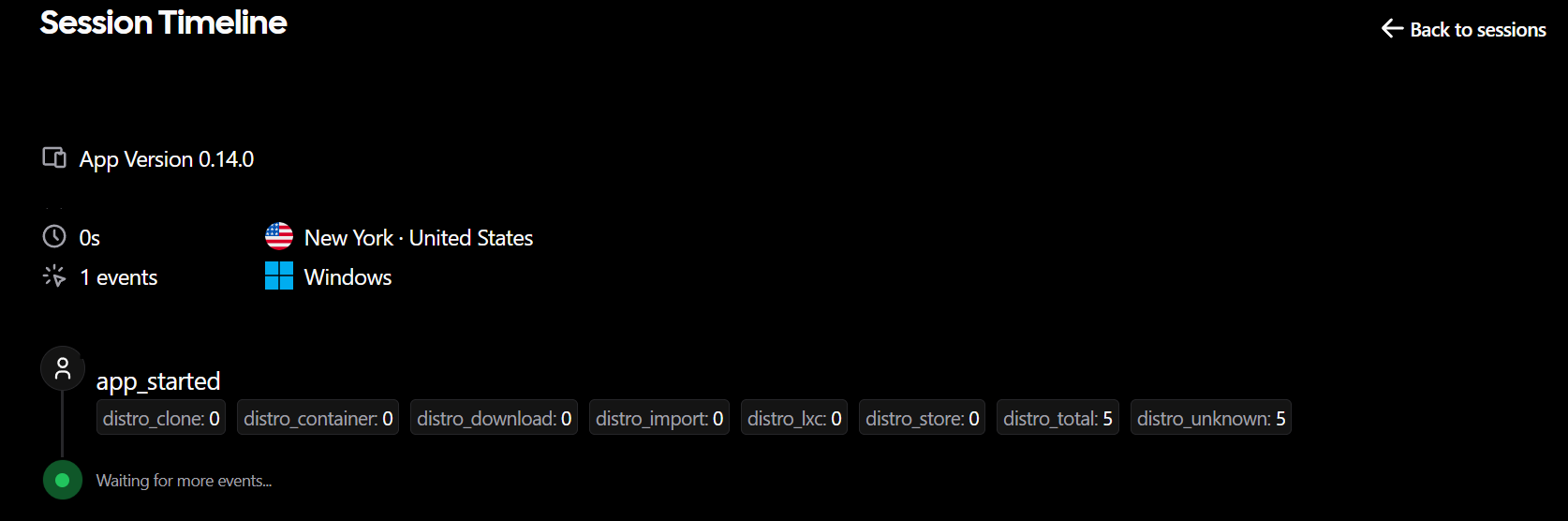
Key insights I've gained:
- Which features are actually used (and which aren't)
- App version distribution (helpful for knowing when to drop legacy support)
- Rough geographic distribution of users
- Whether new features get adopted
What I don't see:
- Individual user behaviour
- Personal information
- Anything that could identify a specific person
Why This Matters
As a solo developer, I have limited time. Knowing that 80% of users use feature X and 5% use feature Y helps prioritise. If I'm going to spend time polishing something, it should be the things people actually use.
Without analytics, you're guessing. With privacy-invasive analytics, you're betraying user trust. Aptabase hits a sweet spot — enough signal to make informed decisions, without crossing ethical lines.
Lessons Learned
Building WSL-UI taught me things I wouldn't have learned from backend work:
-
UI polish is real work — It's not "just making things pretty." It's dealing with an exponentially larger state space than backend code.
-
Edge cases multiply — Every UI state, combined with every data state, combined with every screen size, creates an explosion of cases to handle.
-
Users are unpredictable — They'll find workflows you never imagined. Build with flexibility.
-
Analytics can be ethical — You don't need to choose between "no data" and "track everything." Privacy-first tools exist.
-
The last 10% takes 50% of the time — Getting from "it works" to "it feels polished" is a longer journey than building the initial features.
Series Wrap-Up
That's the complete WSL-UI journey. From a Christmas project to learn Tauri, through mock modes and registry surgery, to the Microsoft Store and beyond.
If you're a backend developer considering a desktop app project, here's my honest take: it's more work than you expect, but also more rewarding. There's something satisfying about building something you can click on, something that sits in your taskbar and solves a problem you have every day.
Try It Yourself
WSL-UI is open source and available on:
- Microsoft Store: Search for "WSL UI" or visit the store listing
- Direct Download: Official Website
- GitHub: github.com/octasoft-ltd/wsl-ui
Thanks for reading the series!