WSLUIv0.18.1Mission Control for Your Linux Distributions on Windows

A modern, lightweight manager for Windows Subsystem for Linux. Monitor your distributions, install from OCI container registries, customize with themes, and automate with custom actions.

17
Themes
6
Install Sources
~4MB
Installer
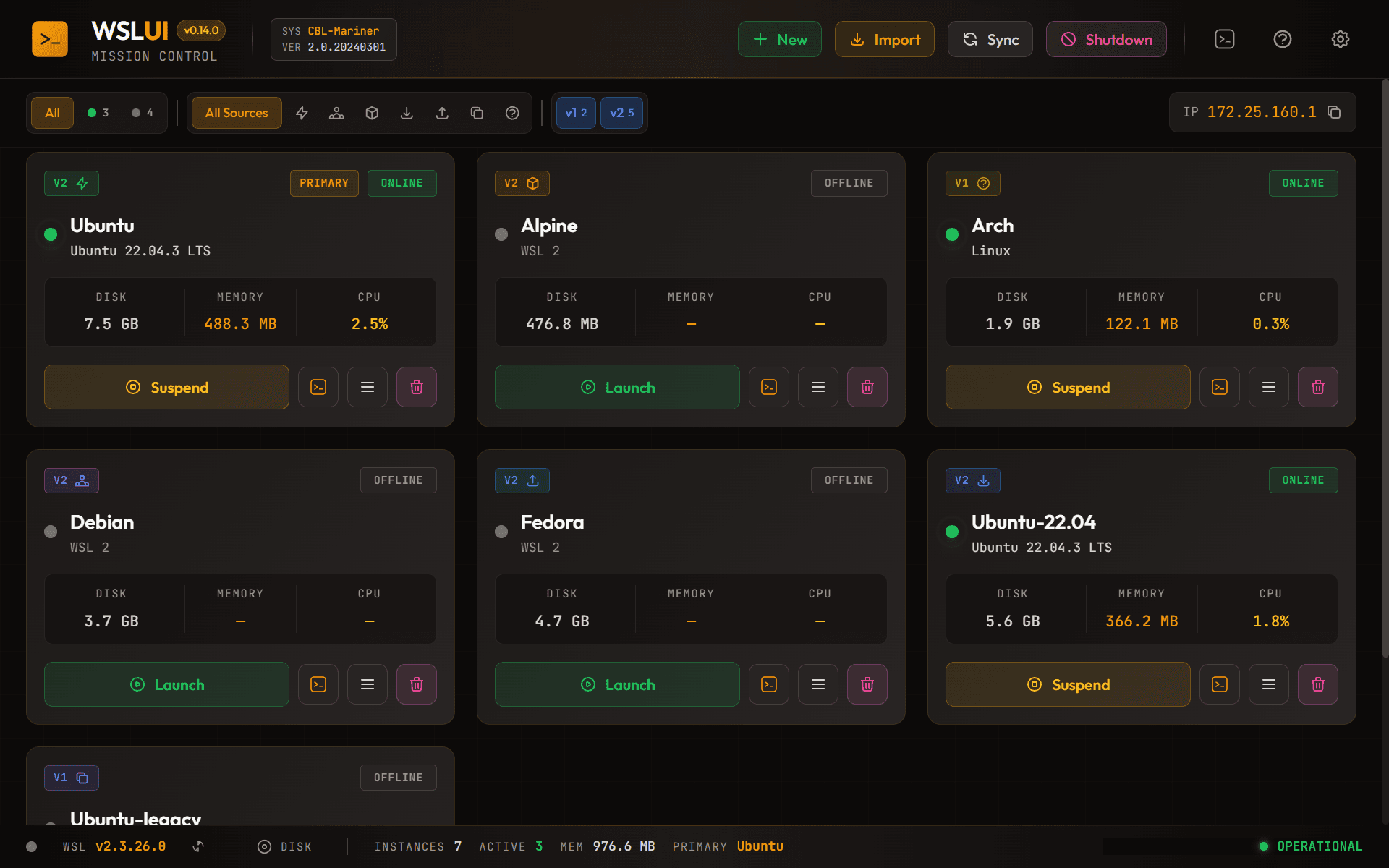
WSL UI Dashboard demo

Need a full Linux desktop on Windows?

Our 8-part guide covers WSLg, XRDP, and 6 distros including Ubuntu, Fedora, and Arch.

Read the guides

Everything You Need

A complete toolkit for managing your WSL distributions

Real-time Monitoring

Track CPU, memory, and disk usage for each distribution with live updates.

17 Built-in Themes

Choose from dark, light, and high contrast themes. Create your own with the theme editor.

Multiple Install Sources

Install from Microsoft Store, Docker, Podman, direct downloads, or Linux Containers.

Quick Actions

One-click access to terminal, file explorer, IDE, backup, clone, and more.

Custom Actions

Define reusable commands with variable substitution. Run on startup automatically.

Full WSL Config

Edit .wslconfig and wsl.conf with a friendly UI. Memory limits, networking, and more.

11 Languages

Full UI translation including Chinese, Japanese, Korean, Spanish, French, German, Arabic, and more.

Backup & Clone

Export, import, and clone distributions with full metadata tracking and lineage history.

IDE Integration

Launch directly in VS Code, Cursor, Windows Terminal, or any custom terminal emulator.

Why Choose WSL UI?

Managing Windows Subsystem for Linux distributions through the command line can be tedious. WSL UI gives you a mission control center for all your Linux distributions on Windows, with a clean graphical interface that puts you in control without memorizing commands. Whether you're a developer working with multiple Linux environments or someone exploring Linux on Windows for the first time, WSL UI simplifies your workflow.

Built with performance in mind using Tauri and React, the application weighs in at just 4MB while delivering native speed. No bloated frameworks, no unnecessary dependencies, no accounts required. Your data stays on your machine, and you stay in control of your development environment.

See it in action in our screenshots gallery, explore the 17 built-in themes, read our latest tutorials, or browse the documentation.

Curious how this was built?

Follow along as I document the entire journey of building WSL UI — from choosing Tauri and Rust to shipping on the Microsoft Store.

Read the series

Ready to take control of your WSL?

Download WSL UI today and experience a better way to manage your Linux distributions on Windows.

Free for personal useMinimal telemetryOpen source